
Project Think
Project Think is Cloudflare’s set of agent building blocks and its opinionated @cloudflare/think harness. It is aimed at developers who need an assistant that can carry a conversation across sessions, call tools, and keep working when a single request is over. The Project Think announcement introduces durable execution, isolated sub-agents, persistent conversation trees, and sandboxed code execution. The Think documentation focuses on the harness: extend Think, provide a model through getModel(), and it runs the chat and tool loop while storing state in a Durable Object’s SQLite database.
Think is useful when the agent needs more than a simple chat response. It handles message persistence, streaming, resumption, client tools, and workspace file tools. An instance can serve a browser chat over WebSocket or act as a child agent called by a parent over RPC. Its session model supports branching, compaction, and search so a long conversation can retain earlier work without treating every turn as one flat message list. Cloudflare’s comparison with AIChatAgent helps you decide how much of the loop you want the framework to manage.
To start, follow the Think quick start: install the listed packages, define a Think subclass with getModel(), route requests to the agent, and configure its Durable Object and model binding. Add the documented React hooks if you want a chat interface. For more control, the announcement explains that several Project Think primitives can also be used directly with the Agents SDK Agent base class.
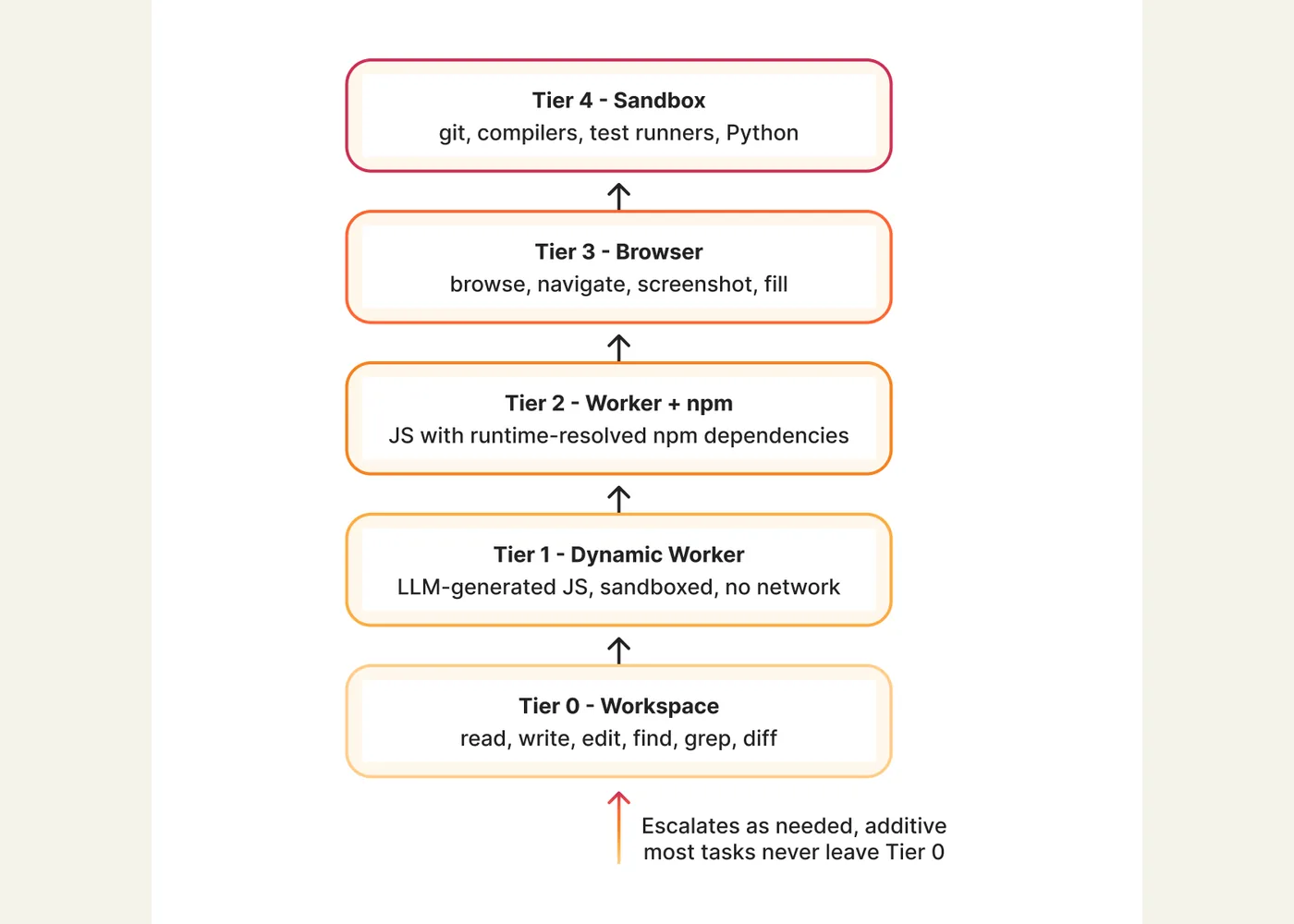
Plan the boundaries of every tool before enabling code execution or external systems. The announcement’s execution ladder starts with workspace operations and adds a Dynamic Worker, npm packages, a browser, or a fuller sandbox only when the task needs them. This is an architecture guide and implementation starting point, not a ready-made assistant for a particular business process. The announcement described Project Think as experimental and in preview; check the current docs for API details as they evolve.
Example use cases
- Suggested application — research assistant: Give each customer a persistent research agent and let a separate child agent analyze one source at a time.
- Suggested application — support investigation: Keep a case conversation and workspace across interruptions, then resume after a webhook reports an external job’s result.
- Suggested application — code review helper: Start with workspace search and file reads, adding sandboxed code execution only for checks that need it.
Sources
Source image: Cloudflare.
Maintained by Jetskibay. Reviewed 2026-09-29T00:00:00Z.