
Beautiful UI
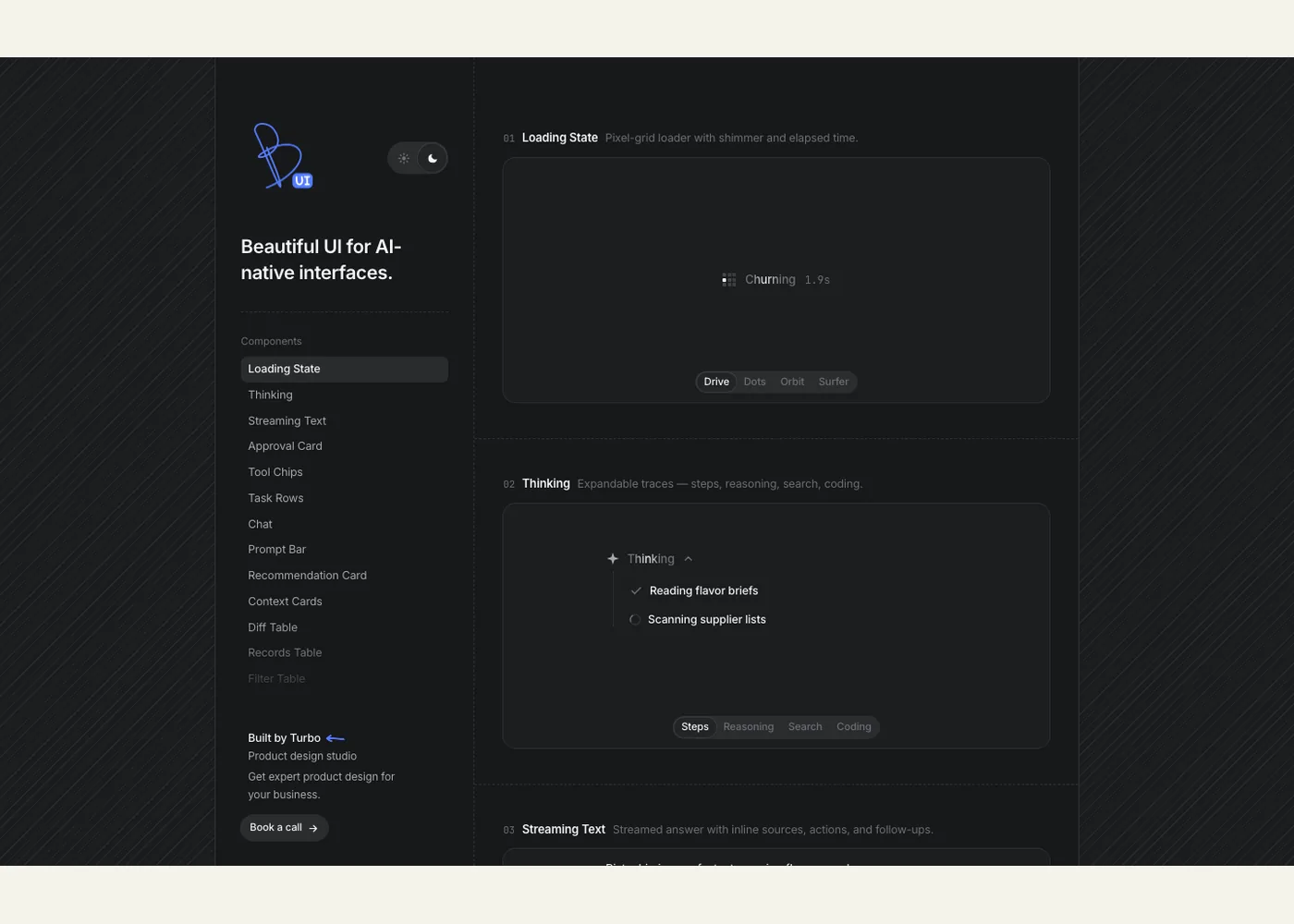
Beautiful UI is an interactive gallery of interface patterns for AI products. Its homepage presents 21 examples, including a loading state, expandable thinking trace, streamed answer with citations, approval card, tool activity chips, task rows, context cards, data tables, a prompt bar, and an agent screen. It is most useful for designers and frontend developers deciding how an assistant should show its work, ask for input, and hand control back to a person. The site identifies Turbo as its maker; the license page names Shane Levine.
Start with the component list on the left of the gallery. Open a pattern related to your workflow, then try the visible controls: switch the loading animation, inspect different thinking traces, or compare task row layouts. The examples share a fictional ice cream business, which makes it easier to see how pieces such as retrieved context, recommendations, and proposed data edits might fit into one product. The linked Ice Cream Harness shows several of these ideas in a full chat screen.
Use the gallery as a reference for states and interactions. For example, an approval prompt should communicate the pending decision, available choices, and the action that follows; a task list should distinguish running, completed, and failed work. The homepage demonstrates these surfaces but does not provide a documented package installation path or integration guide. If you reproduce a pattern, connect it to real application state and test its wording, keyboard behavior, responsive layout, and failure states. The site displays an MIT license; keep its copyright and permission notice when using substantial licensed source.
Example use cases
- Suggested application: Prototype an assistant's approval step for an action that changes customer records, then test whether users understand what will happen when they continue.
- Suggested application: Design a research assistant's answer with source cards and a visible thinking or progress state, then check that citations point to the evidence actually used.
- Suggested application: Compare task rows and tool chips for a multi-step agent, then show real retries and failed steps in a production implementation.
Sources
Source image: Screenshot of Beautiful UI by Turbo / Shane Levine.
Maintained by Jetskibay. Reviewed 2026-09-29T00:00:00Z.