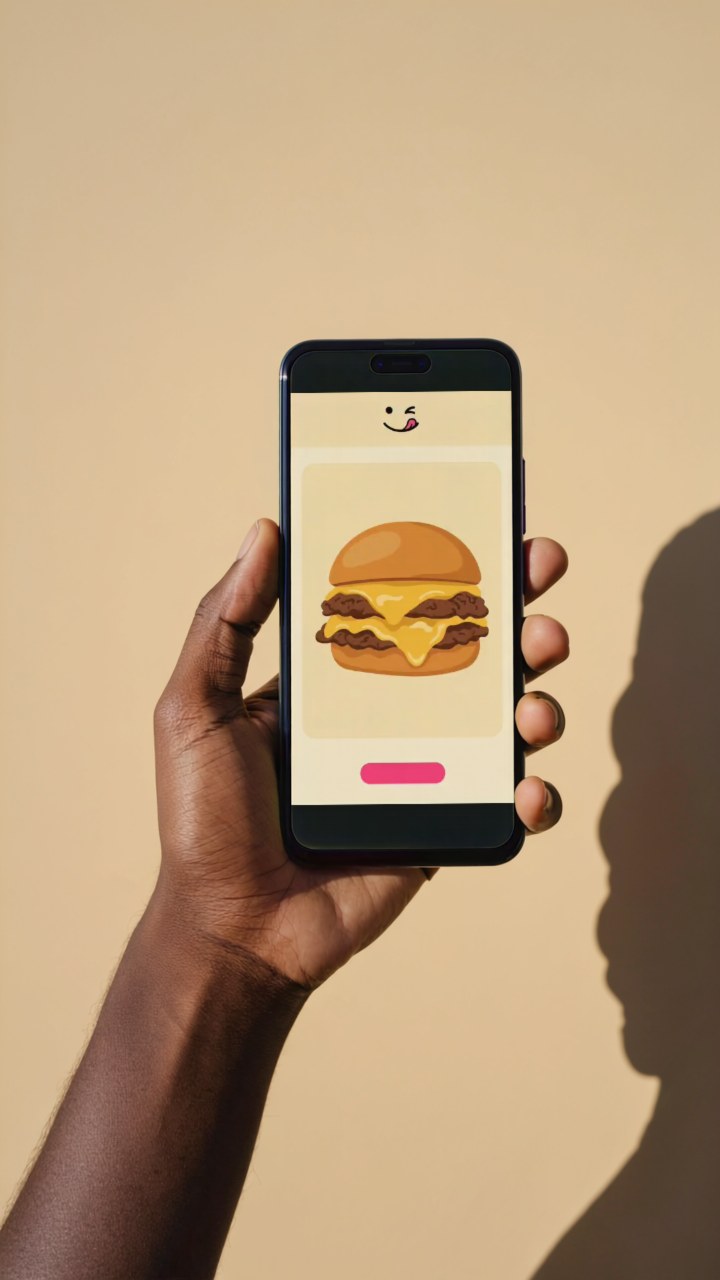
Your screen, ready to show
Turn a screenshot or screen recording into a handheld phone stock image or demo video. Bring the real app screen and get an asset you can use in a presentation, product page, or social post.
- Stock image: a 720 × 1280 PNG with your screen inside the phone.
- Demo video: a six-second, silent 720 × 1280 MP4 of the phone in hand.
- Your screen stays yours: text, images, and interactions come from your upload.
Choose the finished image for a deck or website. Choose video to show a short interaction. A screenshot works in either format; an image made from a recording uses its first frame.
Portrait uploads fit best. Wider screens are centered with padding. Recordings play at their original speed, stop after six seconds, and hold their final frame if shorter. Audio is not included. Upload PNG, JPEG, WebP, MP4, MOV, or WebM, up to 40 MiB and 16 megapixels. HDR recordings need an SDR export first.
The stock scene is an AI-generated handheld phone shot, not footage of you or your customer. One stock scene is available in this release.
Access requires a private token. Uploaded screens and finished demos are processed on the hosted service. Private links expire after 24 hours; files are scheduled for automatic deletion. Do not share private links unless you intend the recipient to access the file.
Make it your own.
EXAMPLES & PROMPTS"""PHONE_DEMO_TOKEN=<private token> SCREEN_FILE=screen.png python create-demo.py"""
import json, mimetypes, os, pathlib, time, urllib.request
base = 'https://phone-demo.jetskibay.com'
token = os.environ['PHONE_DEMO_TOKEN']
screen = pathlib.Path(os.environ['SCREEN_FILE'])
kind = mimetypes.guess_type(screen.name)[0] or 'image/png'
headers = {'Authorization': 'Bearer ' + token, 'Content-Type': 'application/json'}
def api(path, data=None):
req = urllib.request.Request(base+path, data=json.dumps(data).encode() if data else None, headers=headers)
with urllib.request.urlopen(req) as response: return json.load(response)
upload = api('/api/uploads', {'content_type': kind})
with urllib.request.urlopen(urllib.request.Request(upload['upload_url'], data=screen.read_bytes(), method='PUT', headers={'Content-Type': kind})) as response:
response.read()
job = api('/api/demos', {'upload_id': upload['upload_id'], 'output': 'video' if kind.startswith('video/') else 'image'})
while job['status'] in ('queued', 'rendering'):
time.sleep(3)
job = api('/api/demos/'+job['job_id'])
if job['status'] != 'succeeded': raise RuntimeError(job.get('error', job['status']))
print(json.dumps(job, indent=2))
Connect your workflow.
https://phone-demo.jetskibay.com/mcpUpload screens, create phone demos, and retrieve finished images or videos.
Try this tool.
AUTHENTICATED DEMOReview the namespaced operation and JSON arguments, then use the private gateway token supplied by the prototype owner.
Published by Jetskibay. Fictional brand, working prototype.