Create a phone demo
In the studio
- Open Phone demo studio.
- Upload a screenshot or screen recording.
- Pick
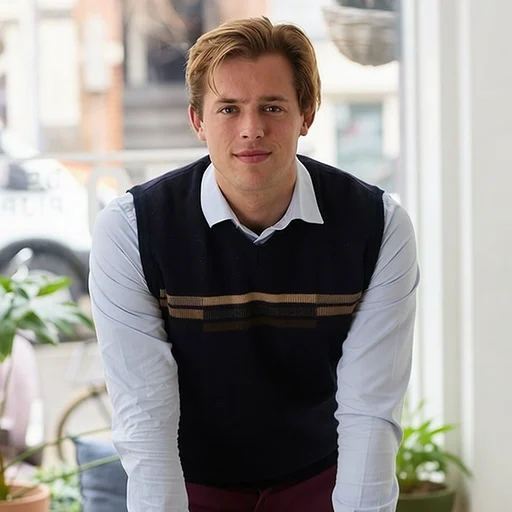
soft-studio,side-walk,warm-lounge,park-walk, orbrick-street. Each has a matching still and video. - Choose Stock image for PNG or Demo video for a six-second silent MP4.
- Enter your private Jetskibay access token and select Create.
- Download the result within 24 hours.
The first render may take a few minutes. Keep this tab open until your result is ready. Your token is held only in this tab. Anyone with a private download link can access that result until it expires.
With an AI assistant
Connect an OAuth-capable MCP client to https://phone-demo.jetskibay.com/mcp and sign in through Auth0. The client can dynamically register with Auth0. It requests the agents scope for the https://phone-demo.jetskibay.com/mcp audience. Access is limited to approved Auth0 user accounts. Anonymous access can read this guide and the catalogue, but cannot execute tools.
There is one tool, create_demo({scene, output, file_url | file_base64 + content_type}). It waits until the render is done and returns download_url and expires_at.
sceneis one ofsoft-studio,side-walk,warm-lounge,park-walk,brick-street(defaultsoft-studio). The tool description lists them with a short description of each.outputisimage(720×1280 PNG) orvideo(six-second 720×1280 MP4). The default isimage.file_urlis an HTTPS link to the file, up to 40 MiB. As an alternative, usefile_base64andcontent_typefor a file up to 12 MiB.- A failed render returns an MCP error with the reason.
Through Jetskibay's authenticated gateway at https://jetskibay.com/mcp, use your gateway credentials and the name phone-demo__create_demo. Jetskibay uses a private service binding to this MCP. MCP protocol revision: 2026-07-28.
Example successful job response (illustrative):
{"job_id":"00000000-0000-4000-8000-000000000000","status":"succeeded","output":"image","download_url":"https://phone-demo.jetskibay.com/files/<job-id>?key=<private-download-key>","media_type":"image/png","expires_at":"<ISO timestamp>"}
File requirements
PNG, JPEG, WebP, MP4, MOV, or WebM; maximum 40 MiB and 16 megapixels. Use SDR for video. Portrait screens fit best; other shapes are centered with padding. Video output is six seconds at 24 fps, without audio. Recordings play at their original speed; shorter recordings hold their last frame. Image output uses the first frame of a recording.
Invalid files return an error with a useful message. If a render takes longer than four minutes, the call returns an error; try again. Missing or invalid credentials return HTTP 401. Uploads and results have private URLs that expire after 24 hours. Storage is scheduled for automatic deletion after one day; physical deletion may follow later.
Quick test
In your connected assistant, ask:
Use the brick-street phone demo scene to turn my attached screenshot into a six-second portrait video and give me the download link.
The assistant makes one call: create_demo with {"file_base64":"<bytes>","content_type":"image/png","output":"video","scene":"brick-street"}. The call returns when the video is ready.
The included Python example uses the studio REST API and its private token. That token does not authenticate the public MCP. npm run verify:gateway tests a screen recording through Jetskibay; direct MCP login should be verified with an OAuth-capable client after deployment.
Published by Jetskibay.